Apply to Opportunities
How to find and apply to research opportunities on Terac.
Once your profile is set up, you can start browsing and applying to opportunities at terac.com/me/opportunities.
Browsing Opportunities
The opportunities page shows two tabs: Project-based and One-time.

- Project-based: ongoing engagements where you work on tasks over a period of time
- One-time: single sessions such as interviews or surveys
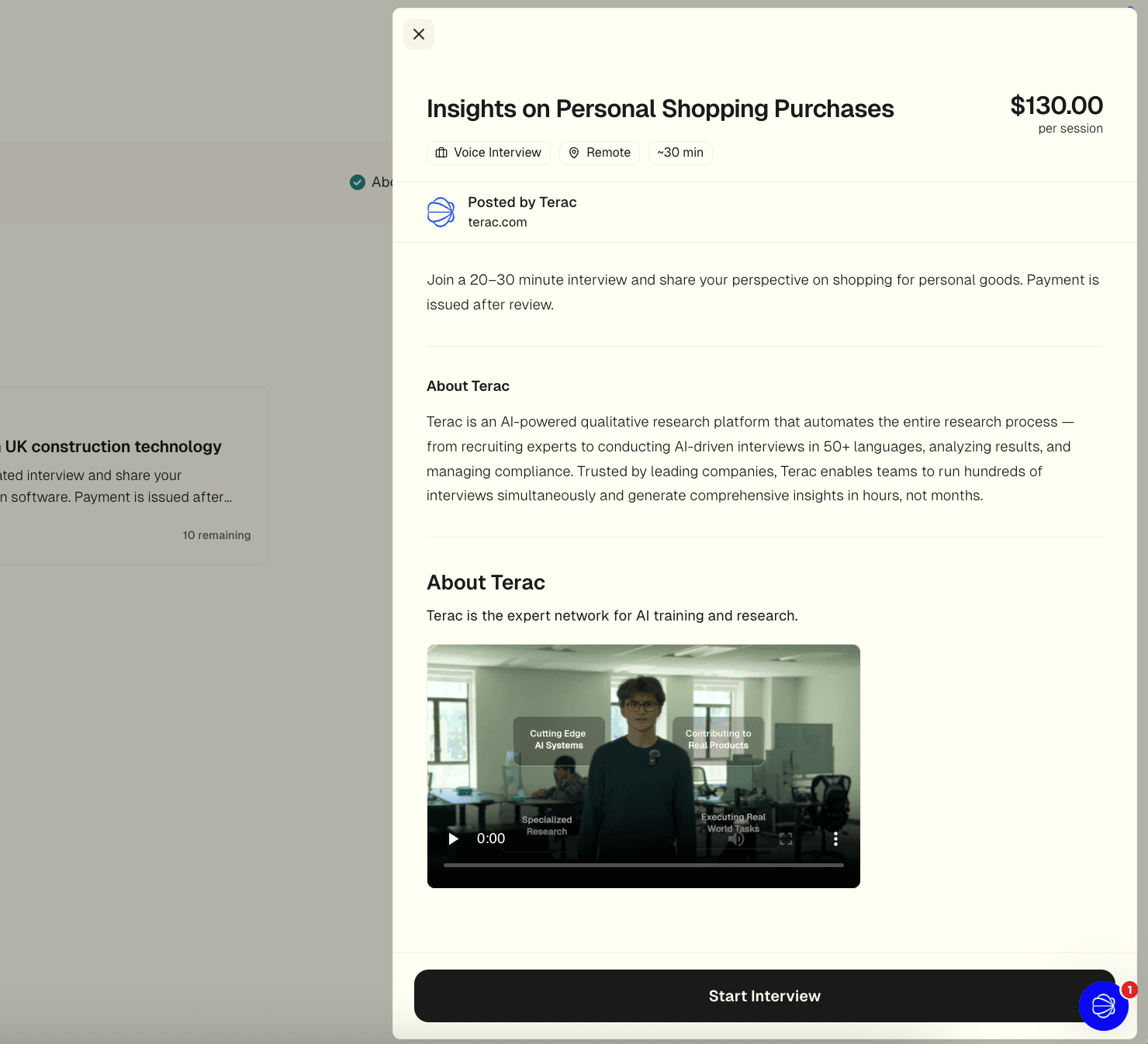
Click any card to open the detail panel. You'll see the title, pay rate, work mode, a full description, what you'll be doing, who should apply, and contract terms.
Application Requirements
Every opportunity has a requirements checklist shown in the detail panel. There are two steps before you can apply:
- Connect your profiles: linking LinkedIn or Facebook. This step is optional and doesn't block you from applying.
- ID verification: a verified government ID via Persona. This is required. Without it, the application is locked.
Once ID verification is done, the interview step unlocks and you can click Start Application.
Application steps are reused across opportunities. If you've completed ID verification for one study, it counts for all of them. You never repeat the same step twice.
The Application Flow
Clicking Start Application takes you through the apply flow. The exact steps depend on the study, but generally include:
- Basic info check: if any required profile fields are missing, you'll be prompted to fill them in.
- Screening: questions or tasks to verify you're a good fit. Depending on the study, this may be a short form, an AI voice interview, or a file upload.
- Payout setup: confirm where your earnings will be sent.
- Referral code: if someone referred you to this opportunity, you can enter their code here.
After completing the flow, your submission goes into review.
After You Submit
Once submitted, your application is reviewed. This can be automatic or manual depending on the study. You'll be notified of the outcome.
- If approved, your earnings are added to your balance and you can cash out.
- If screened out, it means you didn't meet the criteria for that particular study. You can still apply to other opportunities.
FAQ
Can I apply to multiple opportunities at once?
Yes. Each opportunity is independent, so applying to one doesn't affect others.
What if I don't meet the requirements yet?
Incomplete steps in the requirements checklist link directly to where you can complete them. For ID verification, go to terac.com/me/settings/identity.
Why is an opportunity not showing up?
Some opportunities are only visible to experts who match certain criteria. Make sure your profile is complete and your attestations are up to date.
What's Next?
Learn about understanding submissions to track your application status, or set up payments to cash out your earnings.